 Sign in with Google
Business hours & automatic replies
Greetings and after-hours messages, configurable per channel.
Onix for customer service teams
WhatsApp, email, livechat, and API channels land in one team inbox. Escalate into tickets, turn opportunities into leads, send gradual broadcasts, and measure team performance — all in Onix.


Channels
WhatsApp by scanning a QR code, business email over IMAP, livechat on your site with one line of code, and API channels for your own apps — everything lands in the same inbox, so your team doesn't have to learn anything new.
Features
More than an inbox: from the first chat to performance reports, in one app the whole team shares.
Every customer chat from every channel lands in one inbox. The team sees the same thing at the same moment, without reloading the page.
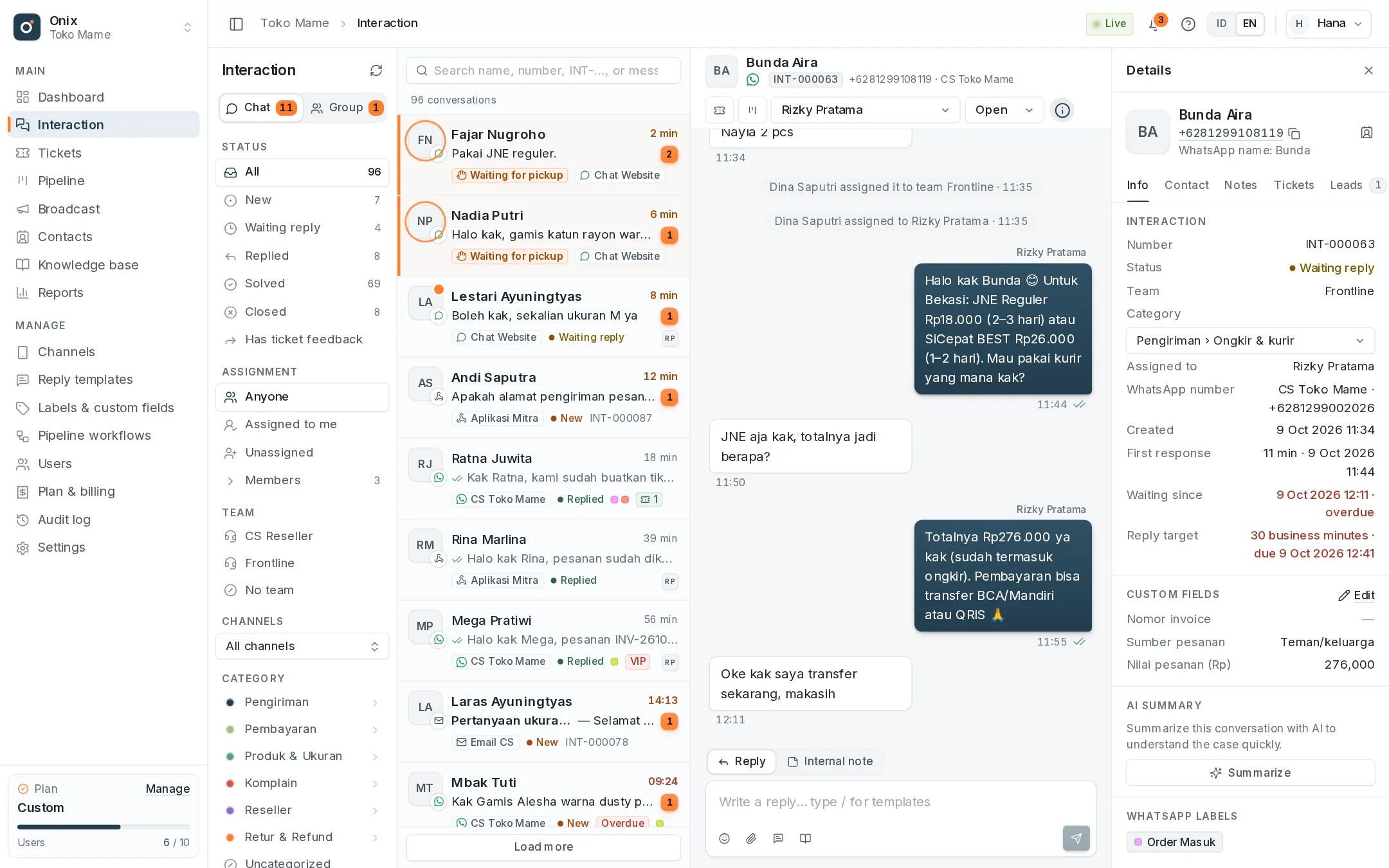
Cases like exchanges, refunds, or address changes are escalated to the right team without moving the customer's chat.
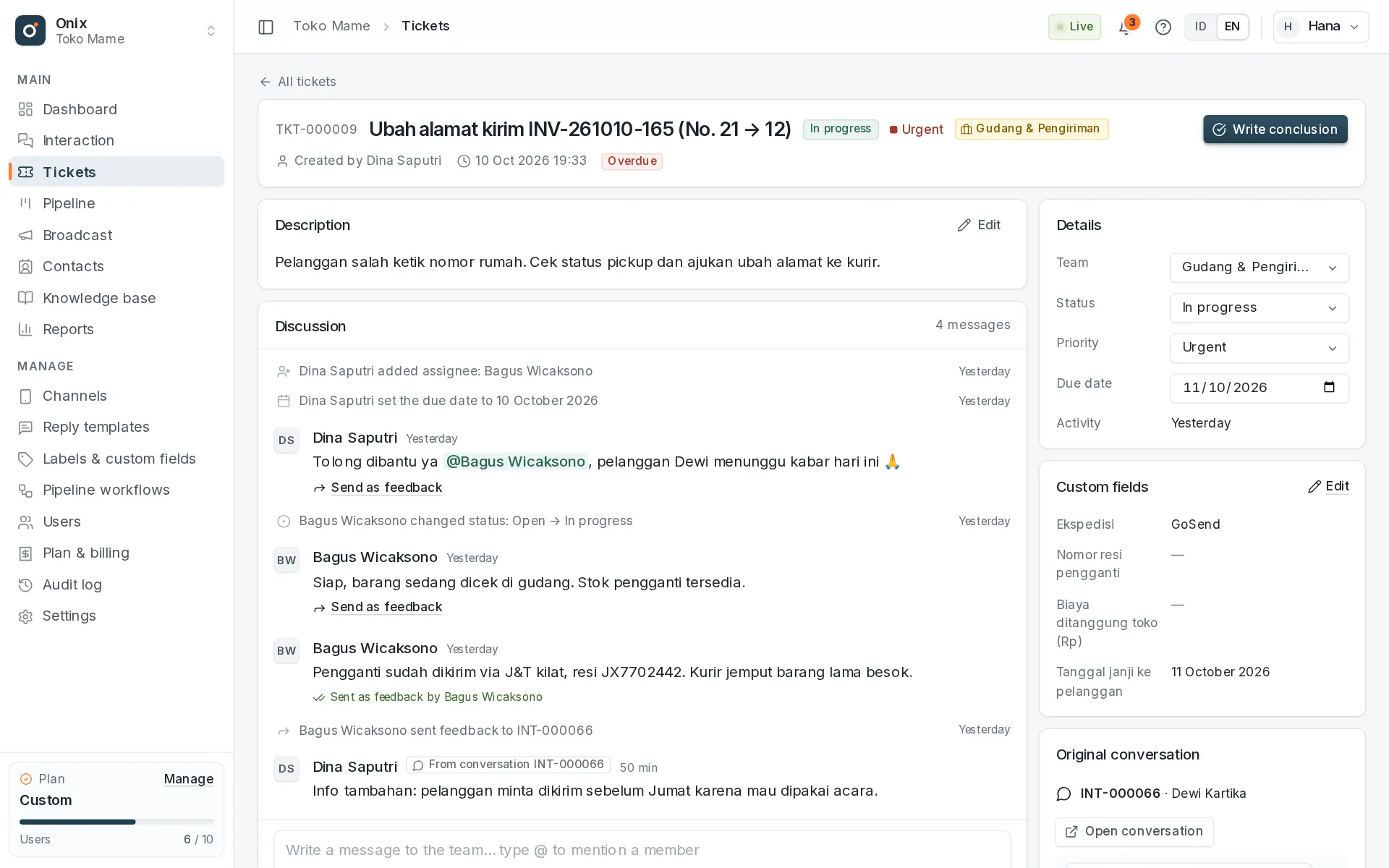
Every customer has one profile: conversation history, tickets, leads, and team notes — whichever channel they used to reach you.
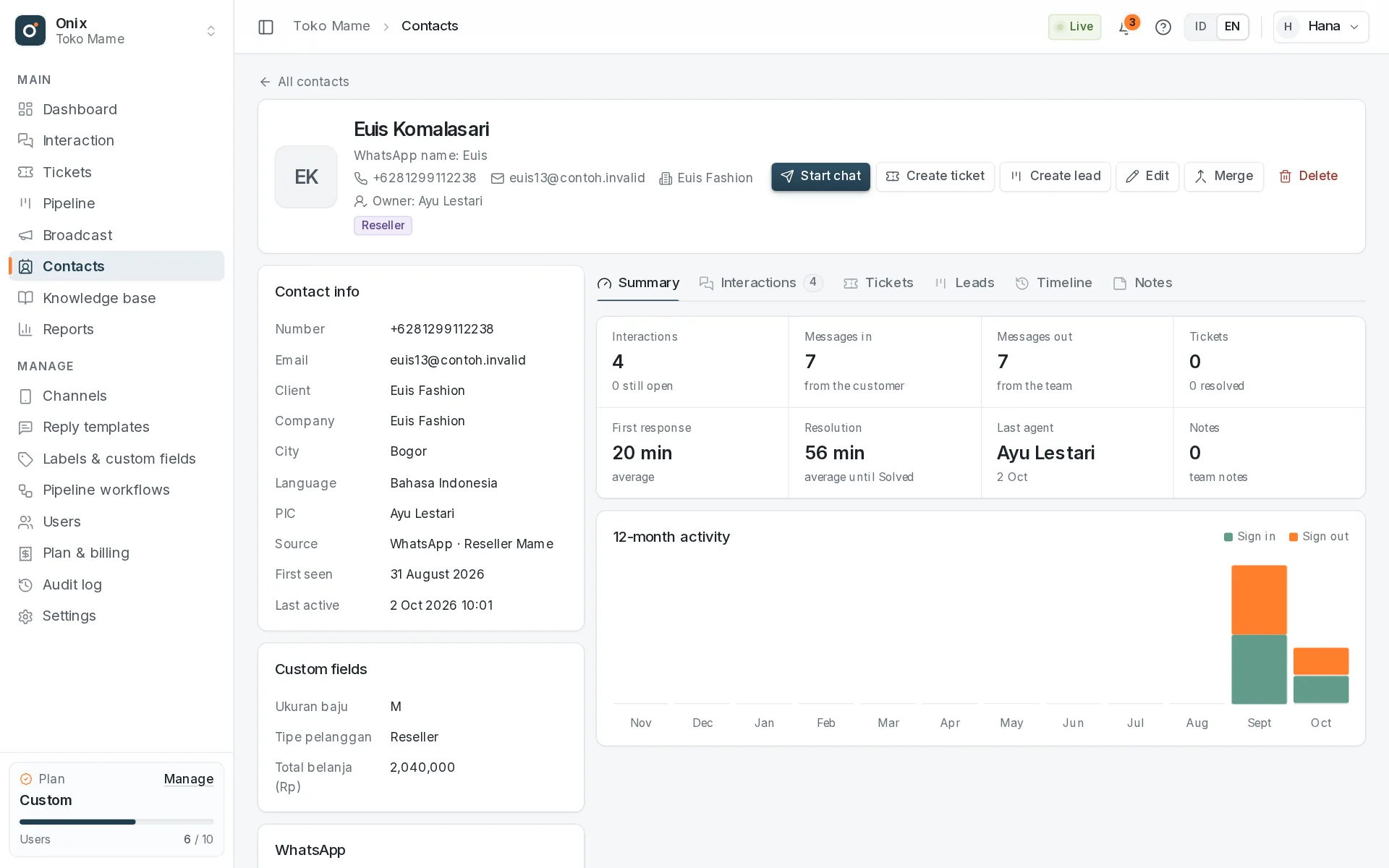
Sales opportunities don't get lost in chats: turn them into leads, track their stage, and remind the team to follow up.
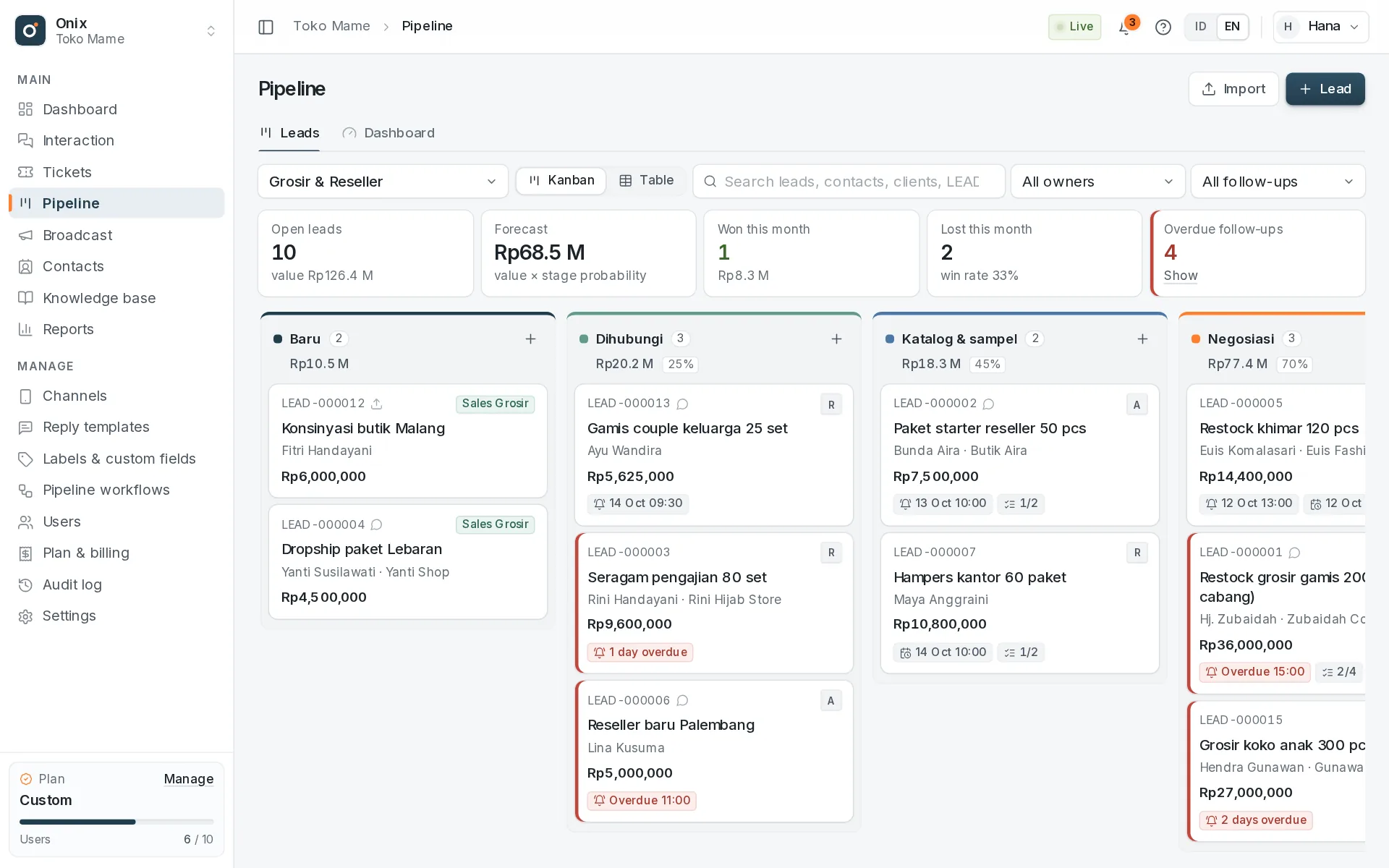
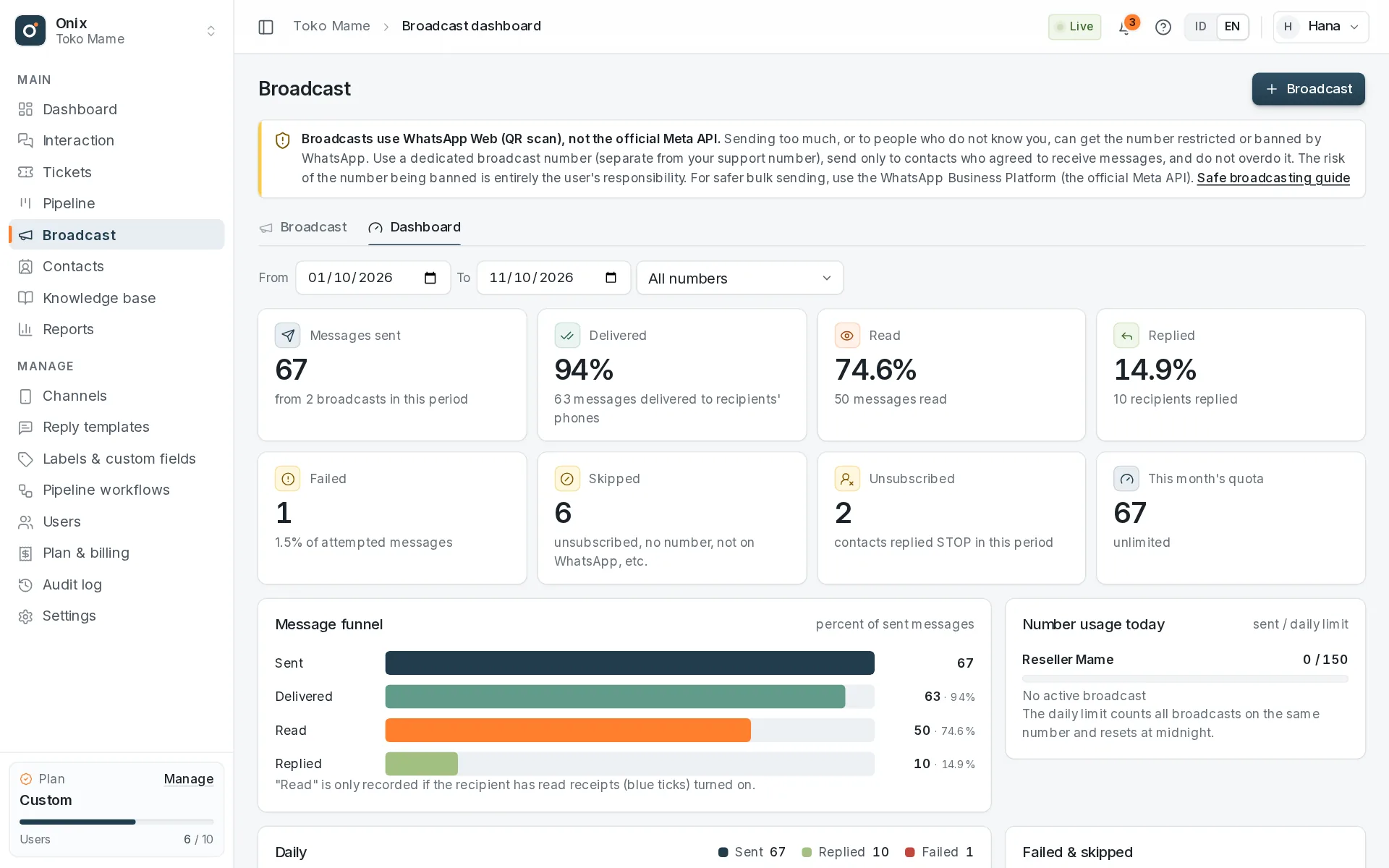
Send updates or promotions to a contact segment gradually, with safeguards so the number isn't easily restricted.
Sent via WhatsApp Web: use a dedicated broadcast number; the risk of a ban is borne by the number's owner. For large volumes, use Meta's official API.
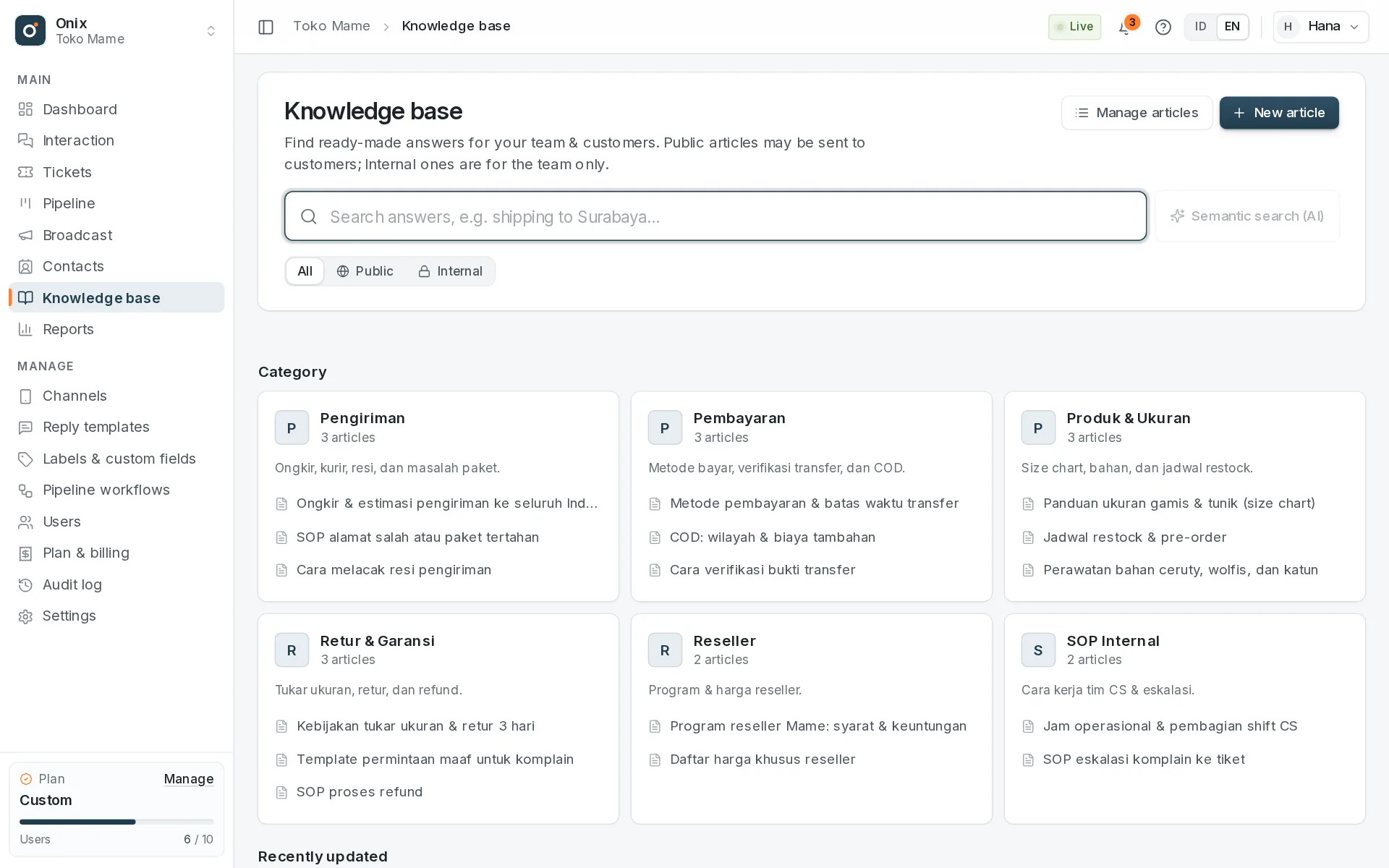
Your team's standard answers stay organized and easy to find — on the knowledge base page or right while replying to a chat.
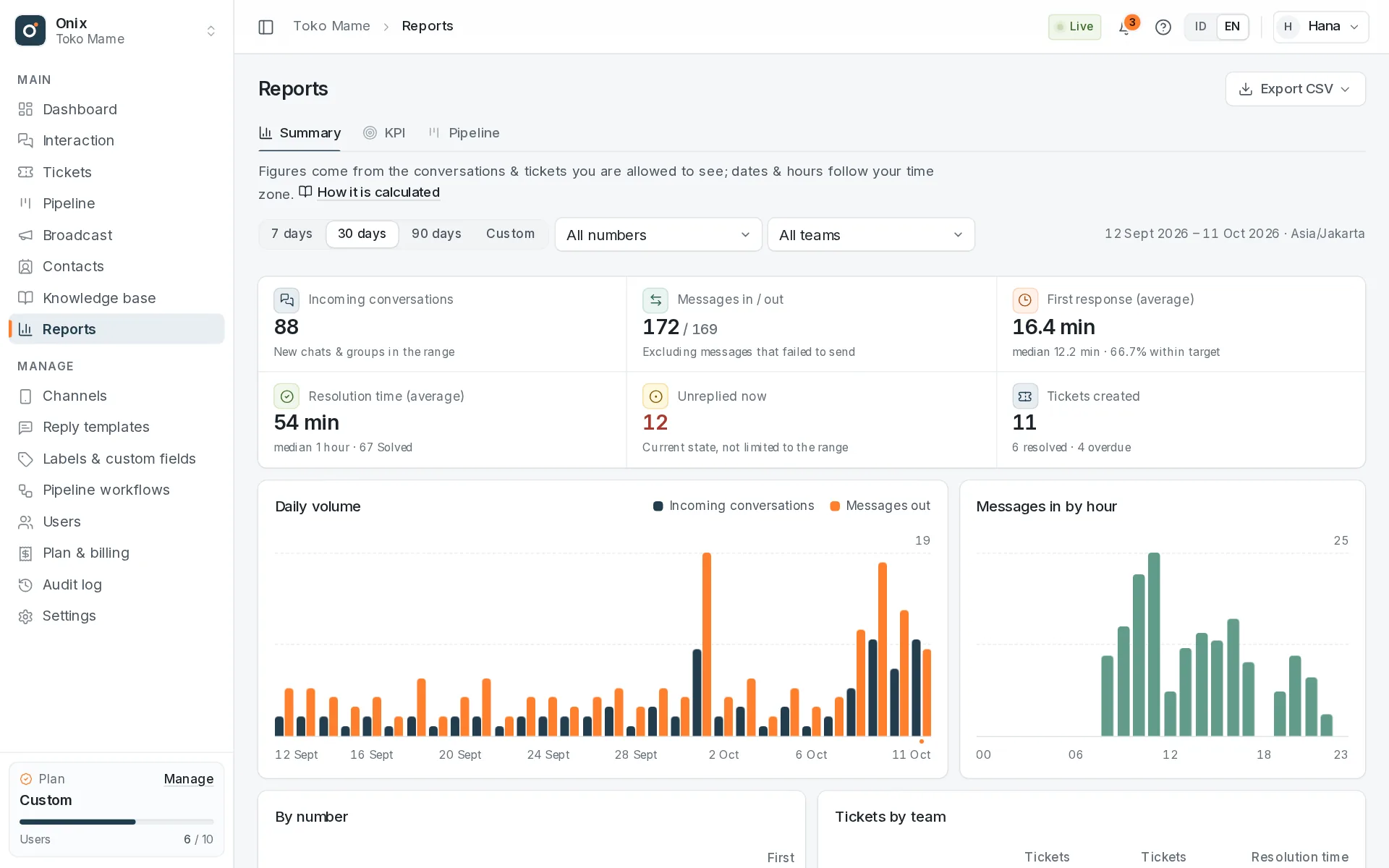
See your team's workload and speed from the same data as the inbox, then follow up on anything past its target.
Helpful details
Greetings and after-hours messages, configurable per channel.
Frontline and Back Office teams only see their own conversations & tickets.
Set access per menu and per channel for every member.
Every important action is logged: who, what, and when.
New messages and status changes reach every screen within seconds.
A documented v1 API, API keys, and events for integrations (Pro).
Each member picks their own language and time zone.
Every page is responsive — reply to customers from your phone's browser.
How it works
No installation and no credit card. New workspaces come with default roles and a getting-started guide.
Sign in with Google, name your workspace, and choose your team's time zone.
Scan the WhatsApp QR code with your phone (about 1 minute), connect your business email, or put livechat on your site. Every conversation lands in the team inbox right away.
Invite by Google email and choose the role and channels each member can open.
Security & data
Onix is built for teams: everyone sees only what's theirs to handle, and every change can be traced.
No new password; team invitations are matched to Google emails.
Each workspace's data is kept separate; members only see the channels and teams they're allowed to.
Export CSV anytime. How to delete your data
Monthly invoices with no automatic debit; pay with QRIS or other methods.
Pricing
Paid monthly by invoice, no automatic debit. Pay with QRIS or other methods.
To try things out
Rp0forever
Most popular
For busy support teams
Rp99,000/ month per workspace
For custom requirements
As needed
Prices and quotas may change; what applies is always what the Plan & billing page shows when the invoice is created. Plan details
FAQ
Onix is a web-based customer service CRM for teams. WhatsApp chats, email, live chat from your website, and messages from the API channel arrive in one shared team inbox, where they can become tickets, contacts with segments, leads in a sales pipeline, and gradual WhatsApp broadcasts. Onix also has a knowledge base with AI, plus reports, KPIs, and SLAs. Onix is part of sassly.ai, available in Indonesian and English, and free to start.
For businesses that serve customers over WhatsApp, email, or website chat with more than one person — such as online stores, distributors & resellers, clinics, schools, or service providers. The Free plan is enough to try it out, Pro suits active support teams, and Custom is for companies that need larger quotas or several workspaces.
Onix uses WhatsApp Web (QR scan), just like on a laptop. WhatsApp can restrict numbers that send bulk messages or spam, so serve customers from your support number as usual. If you need broadcasts (Pro), use a dedicated broadcast number: Onix sends gradually with delays, rests, and daily limits, but the risk of a ban stays with the number owner — for large volumes use the official Meta API. A safe-practice guide is in the documentation.
No. Free is free forever with set quotas. Pro is paid monthly by invoice; there's no automatic debit.
There's a grace period after Pro ends. If it's still unpaid, the plan returns to Free and you choose which channels and members stay active. No data is deleted.
Gmail & Google Workspace, Yahoo, Zoho, iCloud, and hosted email (cPanel) over IMAP & SMTP — just the address and the password or an App Password. Replies are sent from your own address; Onix only reads and never deletes email. Microsoft 365/Outlook is coming later.
Yes. Besides roles per menu and action, each member can be limited to specific channels.
Yes, on every plan. Create a livechat channel, paste one line of code into your site, and visitors can chat right away. Colors, fonts, texts, business hours, and the greeting are all adjustable; chats wait in a queue until an agent picks them up.
Yes, on the Pro & Custom plans. Broadcasts go out gradually to a contact segment with random delays, rest breaks, sending hours, and a daily cap per number; a STOP reply unsubscribes the contact automatically. Use it only for contacts who agreed to receive messages.
On the Pro plan, AI helps find answers in the knowledge base by meaning (not just matching words) and summarizes conversations. The monthly AI quota is shown on the plan card.
Yes. The Onix app itself uses the same API v1. API keys for outside integrations are available on the Pro plan, and so are API channels for connecting your app or system as a channel: send customer messages through the API and receive agent replies through a webhook.
Yes. Every Onix page is responsive and works in a phone browser, including replying to chats, changing statuses, and creating tickets.
Start today
Create a free workspace in a minute. Upgrade to Pro whenever your team grows.